
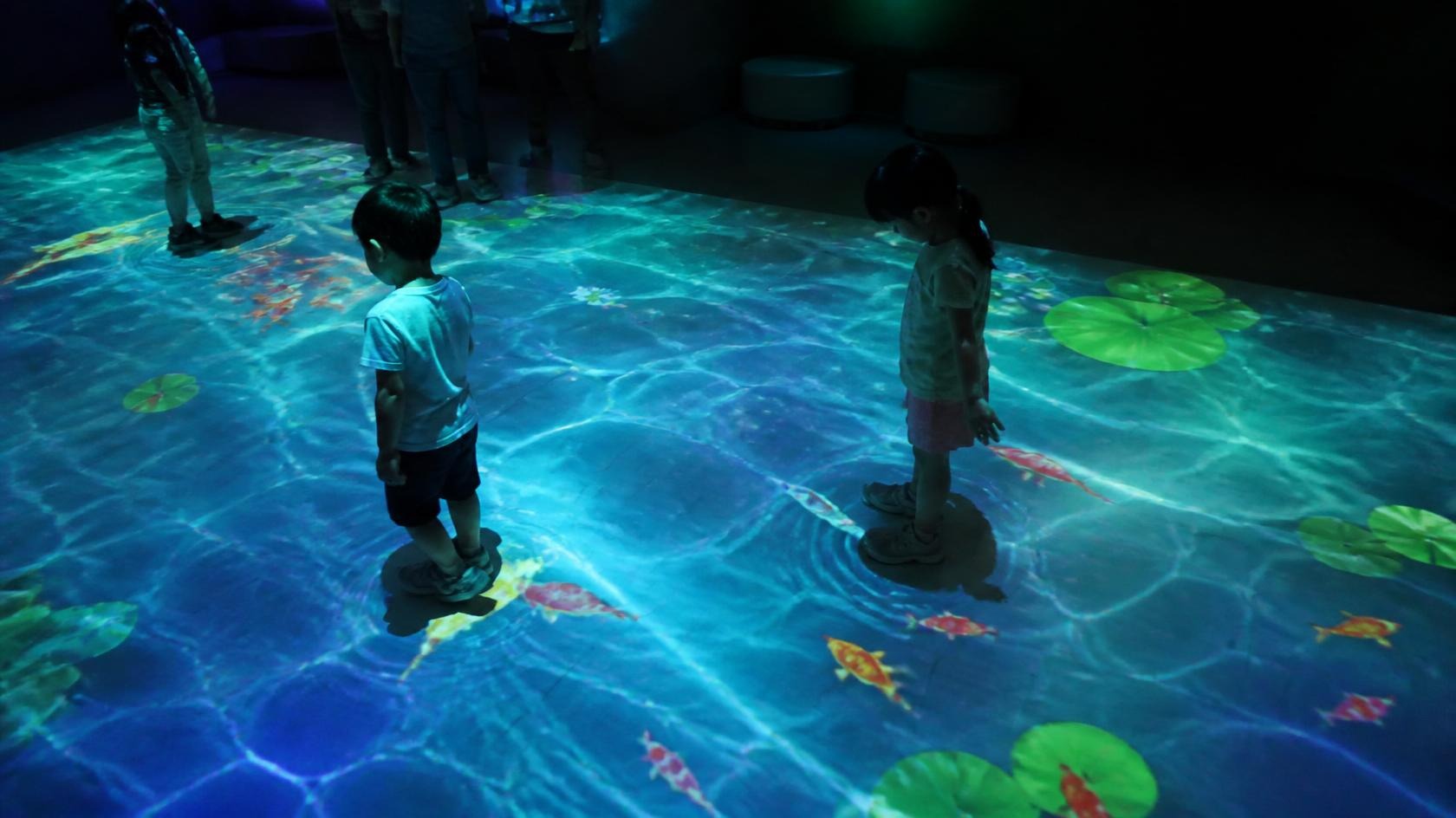
“We want interactive projection” is a useful starting point, but it is not yet a technical requirement. It does not tell a supplier what a person will do, what the system must detect, how many people will take part, what should happen after an action is detected, or how the experience should behave when several people interact at the same time.
That gap becomes a procurement problem. Different suppliers can interpret the same sentence in different ways, propose different sensing equipment, develop different software logic, and price very different levels of integration. The buyer may receive several quotations without knowing whether they describe the same experience.
The practical task is to turn an interaction idea into a description of user behavior and system response that suppliers can quote consistently. This guide focuses on the questions that help buyers do that before the order is placed.
“We Want Interactive Projection” Is Not Yet a Technical Requirement
Consider a common brief: “We want children to interact with a projected floor.” It sounds specific, but it still leaves many important questions unanswered. The supplier does not know whether the experience is a simple trigger, a continuous game, a competition, a learning activity, or a visual environment that changes when people move.
Those differences affect almost every part of the system. A simple trigger may only need to know that an area has been entered. A game may need to track position and movement over time. A body-based experience may need to detect limbs, gestures, or multiple players. The sensing method, processing load, software logic, content design, calibration, and installation all change with the interaction behavior.
- What does the user actually do?
- What must the system detect: presence, position, movement, direction, gesture, object, or something else?
- How many users can interact at the same time?
- How large is the interactive area?
- What visual, audio, or other response should follow the action?
- How quickly should the response feel connected to the user’s movement?
- Can users interact continuously, or does the experience work as a series of triggers?
- What happens after the interaction: reset, continue, change state, or wait for another user?
Simple Trigger, Position Tracking, and Body Movement Are Different Problems
Interactive projection projects often begin with a sensor discussion too early. LiDAR, infrared cameras, depth cameras, and body-tracking systems are tools for different kinds of detection. None of them is automatically better for every project because each one changes what the system can know and how that information must be processed.
A simple trigger interaction may only need to determine that a person has entered a defined zone. A position-tracking interaction may need to follow where one or more people are moving across an area. A body-movement interaction may need more detailed information about pose, direction, or gesture. Those are different technical questions even when the visible result looks similar to a visitor.
LiDAR can provide spatial and distance information. Infrared cameras can detect certain movement or position information. Depth-based tracking can support body and movement interaction in suitable conditions. The right approach depends on the behavior, environment, area, number of users, software, and the level of detail the experience actually requires.
- Is the system detecting a presence, a point, a path, a region, or a body movement?
- How much accuracy does the content require, and what happens when tracking is imperfect?
- Does the sensor need to work across the whole room or a defined interactive zone?
- Will users block one another, and how should the system handle that?
- Can the environment create reflections, shadows, or other conditions that affect detection?
- What software will interpret the sensor data and turn it into a usable interaction event?
The Interaction Chain Matters More Than One Component
An interactive experience is a chain, not a sensor purchase. Physical movement is detected, converted into tracking or input data, processed by software, and translated into a visual or audio response through the projection system. Each link depends on the others. A weak link can make the whole experience feel unreliable even when the individual component is working.
| Interaction stage | Questions to resolve | Possible user-visible symptom |
|---|---|---|
| Physical movement | What behavior is expected, where does it happen, and who may be present? | The experience may respond in the wrong place or fail when people move differently than expected. |
| Detection | What must be detected, across which area, and under what lighting or physical conditions? | Triggers may be missed, false triggers may occur, or tracking may be lost. |
| Tracking and processing | How is the input interpreted, filtered, and converted into a stable interaction event? | The response may feel delayed, unstable, or inconsistent between users. |
| Interactive software | What content logic responds to the event, and how are multiple users or system states handled? | The visual response may not match the intended game, story, or interaction rule. |
| Visual response | How are the software output, projection layout, calibration, and playback aligned? | The response may appear in the wrong position or be visually disconnected from the action. |
This is why “What sensor are you using?” is not enough. The better question is how the complete interaction chain will work in the actual venue. A supplier should be able to describe the path from movement to detection, processing, software response, and final visual behavior.
One User and Many Users Are Not the Same Brief
An interaction designed for one person at a fixed position is much simpler to define than an experience where several children, adults, or groups move freely through a shared area. Multi-user interaction affects sensor coverage, tracking logic, software rules, content states, projection layout, and the way the system recovers when people leave or new users enter.
The buyer does not need to promise a specific number of users before the system has been designed. What matters is that the expected behavior is discussed. A supplier cannot select the right sensing and processing approach if the brief does not distinguish between occasional individual interaction and continuous group activity.
- Can one person interact at a time, or can several people interact simultaneously?
- Do users interact independently, cooperatively, or competitively?
- Will children and adults use the experience together?
- Do users move freely, stand in fixed positions, or pass through the area?
- How should the system behave when users overlap, block one another, or leave the zone?
- Does the content need separate identity, scores, or states for different users?
- What happens during peak periods when the number of visitors increases?
The availability of a tracking technology does not by itself establish how many people can interact under real conditions. The answer depends on the venue, sensing coverage, software complexity, content behavior, and the quality of experience the buyer expects.
The Interactive Area and the Projection Area May Be Different
The area covered by projection is not always the same as the area where interaction is expected. A room may have projection on several walls and the floor, while only a defined floor zone needs to respond to visitors. Another project may have a smaller visual surface but require interaction across a large movement area.
Separating Visual Area from Interactive Area helps the design team choose the correct projector coverage, sensor coverage, processing, software logic, and installation positions. It also prevents a supplier from assuming that every projected surface must be interactive or that every sensor must cover the entire room.
- Where can users see the visual response?
- Where are they expected to move, stand, touch, or gesture?
- Does the interactive zone need to be visible to the user at all times?
- Can obstacles, furniture, queues, or circulation routes affect the zone?
- Will the sensor be mounted where it has a reliable view of the interactive area?
- How will the content indicate where interaction is possible?
The Space Can Change How Well Interaction Works
Interactive systems are sensitive to the physical environment because they depend on detecting people or objects. Ambient light, reflective surfaces, shadows, changing daylight, ceiling height, sensor position, physical obstacles, and visitor density can all affect what the system sees and how it interprets the input.
A configuration that works during testing in an empty room may behave differently when the venue is crowded, the lighting changes, or people stand in positions that were not anticipated. The goal is not to eliminate every possible condition. It is to identify the conditions that matter and design the sensing, processing, and content logic to behave acceptably in normal operation.
- Can reflective floors, walls, glass, or objects create false detections?
- Will shadows or changing light affect camera-based sensing?
- Can visitors block the sensor or stand between the sensor and the interaction area?
- Is the ceiling height suitable for the proposed mounting position?
- Are there columns, furniture, exhibits, or circulation routes inside the detection zone?
- What happens when the venue is busy and the number of people increases?
Interactive Content Is Part of the System Scope
Interactive content is not a normal video with a sensor added at the end. The content has to define what starts an interaction, where it can happen, how the visual responds, how multiple users are handled, how the experience resets, and how the system moves between different states.
If interactive content is left until after the hardware is purchased, the supplier may have designed sensing and processing around assumptions that the content team cannot support. Alternatively, the content team may create behavior that the selected system cannot detect reliably. The result is a project with several capable components that do not form a dependable experience.
- What event starts or changes the interaction?
- Which part of the projected area responds?
- What happens after a successful interaction?
- How does the system reset for the next user or group?
- How are simultaneous users, idle periods, and unexpected movement handled?
- Who creates, updates, and approves the interactive content?
- Who integrates the content with the sensing and playback system?
The buyer should also clarify who owns the content and who can modify it later. A quotation that includes a working interaction but does not provide a practical update path may create a long-term dependency that was not considered during procurement.
Why Two Interactive Projection Quotations Can Look Unrelated
One supplier may quote a projector and sensor. Another may quote a projector, sensor, processing computer, custom software, calibration, content integration, commissioning, and support. The second quotation is not automatically better, and the first is not automatically cheaper. They may not be describing the same deliverable at all.
This is where scope comparison matters more than headline price. Interactive projects often depend on software and integration work that is difficult to see in a simple equipment list. If one quotation excludes development, calibration, testing, or content adaptation, the buyer may still pay for those items later or discover that no one owns them.
- Projection hardware, lenses, mounts, and installation work.
- Sensing hardware, mounting positions, power, and signal connections.
- Processing computers, media servers, graphics output, and network equipment.
- Interactive software licenses, configuration, and custom development.
- Interactive content design, production, adaptation, and testing.
- Projection calibration, sensor calibration, system calibration, and integration.
- Commissioning, documentation, training, warranty, and post-handover support.
The buyer should ask each supplier to mark every item as included, excluded, supplied by the client, supplied by another contractor, or not yet defined. That simple scope map is often more valuable than comparing two totals that appear to cover the same project but do not.
When the Experience Fails, Which Layer Is Responsible?
If an interactive experience responds late, triggers in the wrong place, loses tracking, or displays the visual in the wrong position, the fault may sit in sensing, software, processing, projection, calibration, or the physical environment. The user does not see those layers. They only experience one system, and that is why responsibility for integration must be clear before the project begins.
A supplier may provide a sensor that performs as specified while the software interprets the data poorly. Another supplier may provide software that works while projector alignment makes the visual response appear in the wrong location. The buyer needs a responsible party for the complete interaction experience, not only for individual devices.
- Who owns the overall interaction architecture and final behavior?
- Who defines the interface between sensing, processing, software, and projection?
- Who tests the experience under representative venue conditions?
- Who diagnoses a problem that appears across more than one supplier’s equipment?
- Who can update the content or interaction logic without breaking calibration?
- Who provides remote and on-site support after handover?
Commissioning and Acceptance Need Defined Interaction Scenarios
It is not enough to confirm that the projector displays an image and the sensor is detected by a computer. Acceptance should test the interaction scenarios that were agreed for the project. A system can pass a technical check and still fail the intended user experience if the interaction behavior was never defined clearly.
- Detection of the agreed user actions and movement patterns.
- The expected visual or audio response after each action.
- Projection alignment and interaction-zone alignment.
- Behavior with one user and with the expected number of simultaneous users.
- Resetting, continuing, and recovery after an interaction ends.
- Stability during a representative operating period.
- Documentation of software settings, sensor positions, calibration, and recovery procedures.
Specific test methods and tolerances should be defined according to the project. A children’s play area, a museum exhibit, a sports attraction, and a temporary event installation may require different acceptance scenarios. The buyer should not wait until commissioning to decide what the experience must prove.
Maintenance Includes More Than the Projector
An interactive system has more layers than a standard projection installation. In addition to the projector and content, it may include sensors, processing computers, software, network equipment, interactive content, and physical mounting. Maintenance planning must reflect all of those layers.
A sensor may be moved during cleaning or maintenance. A computer may be replaced after a failure. Software may need an update. Content may change. Projection or interaction calibration may drift. Each of these events can affect the experience even if the main hardware continues to work.
- What happens if a sensor is moved and needs to be recalibrated?
- How will the system be restored if a computer or media server is replaced?
- Can the venue update content without changing software logic or calibration?
- Who can diagnose an interaction problem that appears only during busy periods?
- What documentation is needed to maintain sensor positions, software settings, and test scenarios?
- What remote support is available, and what tasks require specialist attendance?
A Mature Interactive Projection Quotation Explains the Experience
A mature interactive projection proposal should be more than “projector, sensor, and software.” It should explain how user behavior becomes detection, how detection becomes a stable interaction event, how software turns that event into a response, and how the projection system delivers that response in the right place.
It should also make the commercial boundaries visible: who provides each part, who owns integration, what will be tested, what is included in content development, and who supports the system after handover. When those points are clear, the buyer can compare suppliers on the same project rather than comparing different interpretations of the same sentence.
Related Products
Related Technology / Products
Related Insights
Projection Technology
How to Choose Projectors for an Immersive Projection Project
Read Article →Immersive Projection