
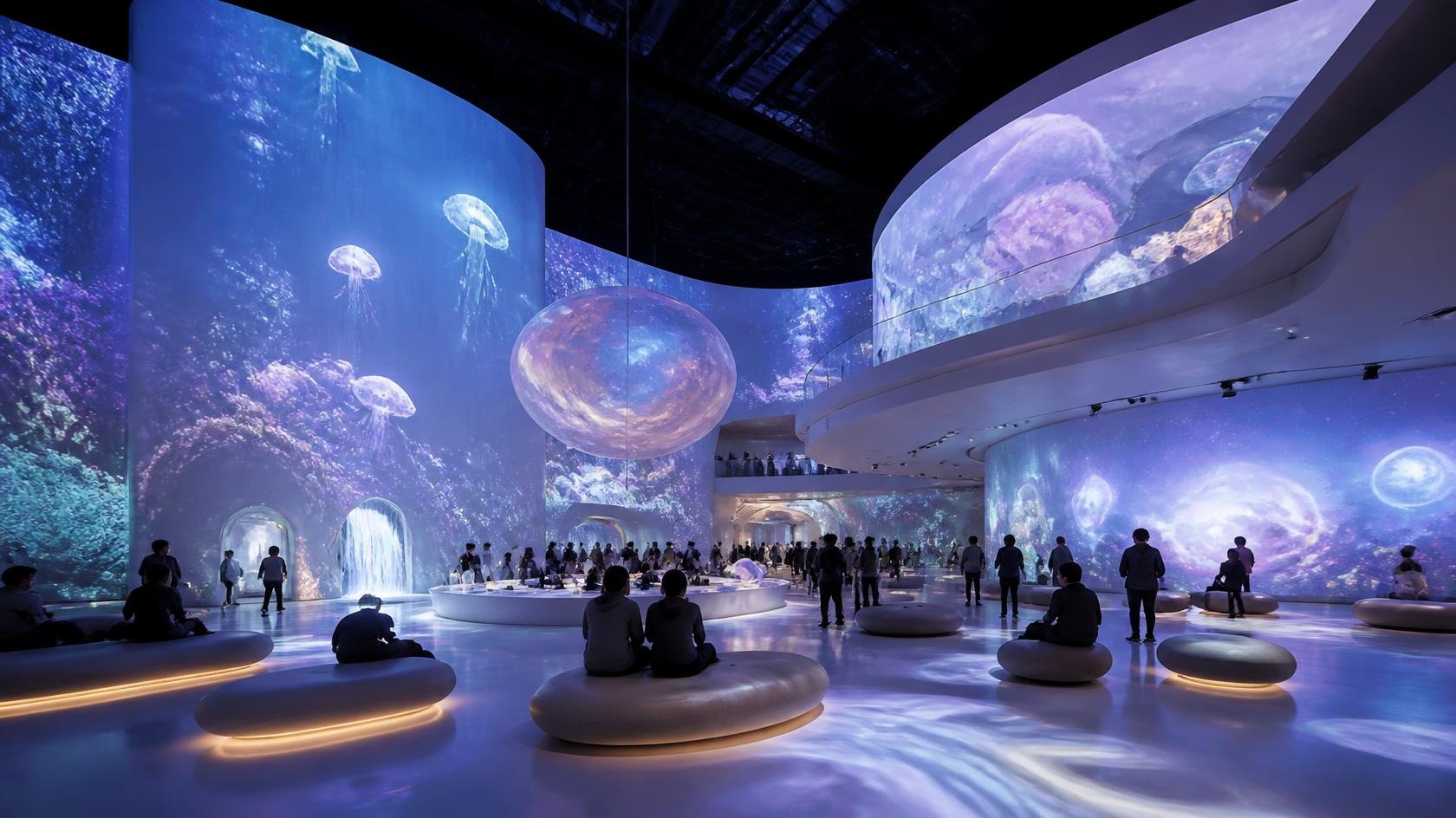
An immersive projection space is created through a combination of spatial design, visual content, projection equipment, installation conditions, and operation. Planning only one part of that system usually leads to compromises later. The most reliable projects define the intended experience first, then develop the technical approach around the physical space and the way visitors will use it.
This guide outlines the main planning considerations for immersive projection spaces. It is intended for project owners, exhibition planners, creative teams, and system integrators who need a practical framework before choosing equipment or finalizing a design.
Define the Experience First
The experience should define the technical requirements, not the other way around. Before selecting projectors, clarify what visitors are meant to see, how they move through the space, where they are likely to stand, and whether the experience is passive, interactive, or a combination of both.
- What should visitors notice first when they enter?
- Will the visual experience surround visitors, appear on selected surfaces, or follow a defined route?
- Will visitors stand still, move through the space, or interact with the content?
- Should the environment feel calm, energetic, theatrical, educational, or atmospheric?
- Will there be peak periods with groups, queues, or limited viewing positions?
- Does the space need to support changing content or different operating modes?
A clear experience brief helps determine image coverage, viewing angles, brightness, content style, interaction method, and system control. It also gives the project team a practical way to evaluate later decisions instead of changing requirements during installation.
Measure the Space
Accurate measurements are essential. A floor plan and ceiling-height survey allow the team to evaluate projection distances, viewing positions, image size, mounting locations, and possible obstruction. The measurement stage should include the full usable area, not only the primary projection wall.
- Overall room dimensions and clear usable area.
- Ceiling height and structural mounting conditions.
- Wall, floor, and ceiling surfaces available for projection.
- Primary and secondary viewing positions.
- Columns, doorways, furniture, displays, and other obstacles.
- Available installation points, cable routes, and power locations.
Evaluate Ambient Light
Ambient light has a direct effect on image contrast and perceived brightness. A projection system may look strong during a site visit with the lights off but perform differently during normal operating hours. Natural light, architectural lighting, display lighting, emergency lighting, and reflected light from surrounding surfaces should all be reviewed.
- Natural light through windows, skylights, glass doors, or open areas.
- Fixed and adjustable artificial lighting.
- Light spill from adjacent rooms or circulation areas.
- Reflective floors, walls, and display surfaces.
- Lighting conditions during installation, opening hours, evening operation, and maintenance.
Where ambient light cannot be reduced, the projection design may need higher output, different surfaces, a revised viewing position, or content designed with greater contrast. The solution should be based on the operating conditions rather than a single test at the darkest time of day.
Plan Projection Coverage
Projection coverage describes where the image will appear and how the complete visual field will be experienced. A single wall projection can be effective when the experience is focused in one direction. Floor, ceiling, and multi-surface projection can create a more surrounding environment, but they also increase installation, content, calibration, and control requirements.
- Wall projection for a primary visual surface or narrative display.
- Floor projection for movement, interaction, or spatial continuity.
- Ceiling projection where the space and installation conditions allow it.
- Multi-surface projection for a more unified environment.
- Multi-projector systems and edge blending for larger or more complex surfaces.
- Interaction areas where sensors or cameras need a clear field of view.
Coverage should be planned together with visitor flow. If people can stand between the projector and the surface, shadowing may occur. If visitors move close to a projection surface, the image may appear less detailed than when viewed from farther away. Content and hardware should be positioned around those realities.
Plan the Content
Content planning can begin before final hardware selection. The content format influences resolution, aspect ratio, playback, storage, synchronization, and mapping requirements. A project that begins with an established visual identity can often be integrated more efficiently than one where content is created after the system is installed.
- Visual style, frame rate, image detail, and motion.
- Video, animation, still imagery, real-time graphics, or interactive content.
- Aspect ratio and composition across one or multiple surfaces.
- Playback sequence, looping, cueing, and synchronization.
- Audio, lighting, sensor, or live performance integration.
- Content ownership, editing, updating, and long-term support.
Plan the System
The system plan should describe how the different layers of the installation work together. It is not enough to list projectors and screens. The design should also address playback, signal distribution, control, interaction, calibration, and practical operation.
- Projectors and lenses selected for the required coverage and installation conditions.
- Edge blending and geometric correction when multiple projectors are used.
- Interactive sensors, cameras, software, and tracking when interaction is required.
- Playback and content management systems.
- Signal distribution, switching, and synchronization.
- Control systems and operating workflows.
Control should be considered early because it affects the number of devices, cable routes, user interfaces, and operating procedures. A clear control design helps staff start the system, select content, monitor status, and recover from routine issues without needing to understand every technical component.
Consider Installation and Maintenance
Installation planning includes mounting, cabling, alignment, calibration, testing, and safe access to equipment. Maintenance planning extends the same process over the life of the installation. If a projector cannot be reached safely or adjusted without moving displays or closing an area, routine service becomes more difficult than necessary.
- Projector mounting and structural support.
- Cable routes, signal distances, and separation from power or interference sources.
- Calibration and testing time before opening.
- Access for cleaning, replacement, firmware updates, and troubleshooting.
- Spare parts, content backups, and operating documentation.
Common Planning Mistakes
- Choosing projectors before measuring the room.
- Ignoring ambient light during normal opening hours.
- Planning content separately from the projection layout.
- Assuming every immersive project needs the same number of projectors.
- Forgetting calibration, testing, and maintenance access.
- Leaving control and operating procedures until the end of the project.
These issues are usually easier to solve during planning than after installation. A practical design review can identify them while there is still flexibility in layout, content, and equipment selection.
Immersive Projection Planning Checklist
- Experience goals and visitor flow are defined.
- Room dimensions and projection surfaces are measured.
- Ambient light conditions are understood.
- Projection coverage and viewing positions are planned.
- Content format and synchronization requirements are documented.
- Projection, playback, interaction, and control systems are coordinated.
- Installation, calibration, testing, and maintenance access are planned.
- Operating procedures and technical support requirements are defined.
Coordinate Planning Across Disciplines
An immersive projection space often involves several disciplines: architecture, interior design, exhibition design, lighting, audiovisual, content production, and installation. If these areas are planned in isolation, the technical system may be asked to solve problems that could have been avoided earlier.
- Confirm which surfaces can be used for projection and which must remain unchanged.
- Coordinate projector locations with ceiling design, lighting, and architectural features.
- Review power, signal routes, and equipment access with the wider project team.
- Align content aspect ratios and staging with the projection layout.
- Agree how ambient lighting will be controlled during normal operation.
- Identify responsibilities for calibration, testing, content delivery, and handover.
A coordinated design review can reveal conflicts before construction or fabrication begins. It can also prevent late changes that increase cost or force the technical system into a less suitable arrangement.
Plan Commissioning and Handover
Commissioning is the process of confirming that the projection system, content, control, and interaction work together as intended. It should be planned as part of the project, not treated as an activity that happens automatically after installation.
- Verify projection positions, image size, focus, and geometric alignment.
- Confirm edge blending, color matching, and image uniformity where multiple projectors are used.
- Test the full content sequence and all operating modes.
- Check control, synchronization, audio, and interactive responses where applicable.
- Document settings, system layout, startup and shutdown procedures.
- Provide operator training and a clear point of contact for technical support.
The handover should leave the operator with enough information to run the system without needing to understand every device setting. Clear procedures reduce the risk of accidental changes and make routine troubleshooting easier.
Plan for Long-Term Operation
Operation continues after the opening or launch. Content may change, equipment may need cleaning, lamps or light sources may need attention, and settings may need adjustment. A practical operating plan identifies who is responsible for these tasks and how the system can be serviced without disrupting the venue.
- Routine checks for image quality, alignment, and system status.
- Content updates and version control.
- Cleaning and filter or ventilation requirements where applicable.
- Access procedures for projectors, playback equipment, sensors, and control devices.
- Backup copies of content and configuration files.
- Support arrangements for remote diagnosis or on-site service.
The level of operational support depends on the project. A permanent museum installation may require different procedures from a temporary exhibition or a venue with frequent content changes. Defining those needs early helps avoid a system that works technically but is difficult to operate.
Planning Review Questions
- Does the projection plan match the way visitors will actually move through the space?
- Are the intended surfaces suitable for projection and accessible for maintenance?
- Can the content be produced at the required aspect ratio and resolution?
- Are lighting conditions stable enough for the planned image quality?
- Are control and operating procedures understood by the venue team?
- Has the project team agreed how the system will be tested and accepted?
Related Technologies
The planning process connects the physical space, visual content, and technical system. Reviewing projection technology, immersive projection options, and the wider solution structure early in the project helps keep the design consistent from concept through installation.